


Is Your Access Control In Good Hands?
Never Worry About Unwanted Access With Verkada's Oversight Tools
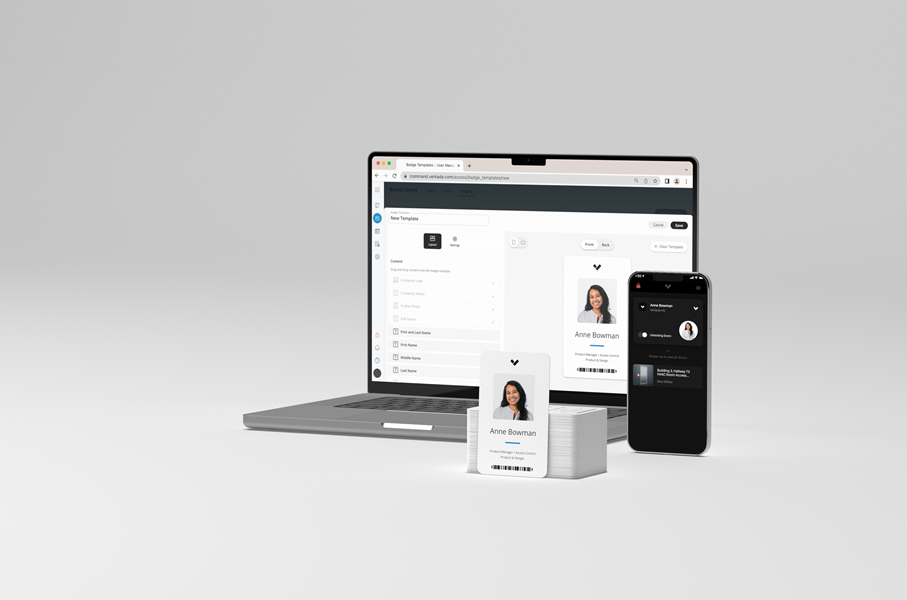
Enhancing your access control with Verkada gives you unprecedented abilities to provide access, set role-specific schedules, and view activity logs. There is so much power behind Verkada’s access control that we’ve had potential clients worry not about the strength of their physical security, but the integrity of the software controlling it all.
With Verkada’s cloud-based access control, you get centralized access to your security arsenal. And while that’s one of its best features, it’s also an understandable concern. With so much power, control, and data centralized in a single location, unrestricted administrative access could create significant security liabilities for your Harlingen, TX, property.
Verkada didn’t get to the top of the security industry by ignoring threats. At Circle Industries, you’re working with experienced dealers who know all the digital governance tools the company provides to let you deploy Verkada Command without the risk of administrative oversight.
SEE MORE: Stop Chasing Physical Keys After Seasonal Shifts
Eliminate Vulnerabilities With Role-Based Access
Much like Verkada offers role-based access control on your physical property — letting you choose which keycards work at which doors and at which times — they offer the same with their digital tools as well.
When staff members access the Verkada app, they only get the specific permissions required to do their jobs. Most people will only be able to use the app as virtual keycards. This not only helps you avoid overreach but also human error that could cause property-wide issues.
Even higher tiers have limits. While Site Admins can manage specific buildings, Org Admins have broader oversight throughout the property. Within those admin roles, you can limit permissions to specific actions:
- HR can issue mobile credentials to new hires, but cannot see security feeds
- Managers can review entry logs without the power to change system-wide configurations
- Security personnel can adjust door schedules on holidays without deleting audit logs or revoking credentials entirely.
Take Action With Real-Time Audit Logs
If you ever suspect unauthorized access to video logs or credentials being added or revoked without permission, there is an easy way to find those accountable. Verkada’s audit logs record every single action an administrator takes within the platform, including:
- User logins and logout attempts (including successful and failed entries).
- Which specific cameras or video archives were viewed and by whom.
- Changes made to user permissions or group settings.
With this information, you can immediately follow up in case of any incidents. More importantly, when administrators know their actions are logged and indexed, they’re less likely to overstep. Automate reports to property managers so stakeholders can perform audits without checking the software every few minutes.
Exclude Third Parties With Two-Factor Authentication
Even with the strongest access control systems in place, it's the smallest things that can compromise the system. We’re talking about standard passwords that leave your system exposed to bad actors.
At Circle Industries, we integrate Multi-Factor Authentication options including TOTP codes, magic email links, and biometric passkeys. That way, even if an administrator’s password is stolen or shared, MFA keeps your system locked out of potential intruders.
A security system is only as reliable as the people who manage it. By combining Verkada’s granular software controls with the local expertise of Circle Industries, you’re ready to take command of your security. Call us or fill out our contact form to learn more about our access control installations.


